The Compare tab
How the project's locations differ from one another, with any variable across the locations as bars, two variables plotted against each other, the cannibalization estimate, and where the stress test and the sales forecast sit.
What this is for
The Compare tab answers "How do these locations differ from each other?". The other tabs describe the project's combined footprint and give each location a row. This tab is about the locations themselves. It lets you pick any one figure and see every location side by side, or pick two figures and see whether the locations that are high on one are high on the other, which is how a site that is an exception shows itself.
It also holds, or points to, the three tools that judge locations against one another, namely the stress test, the sales forecast and the cannibalization estimate.
Where to find it
Choose Compare in the row of tabs. Comparing variables is included in every plan. The stress test, the sales forecast and the cannibalization estimate are part of the Pro and Team plans.
Stress test
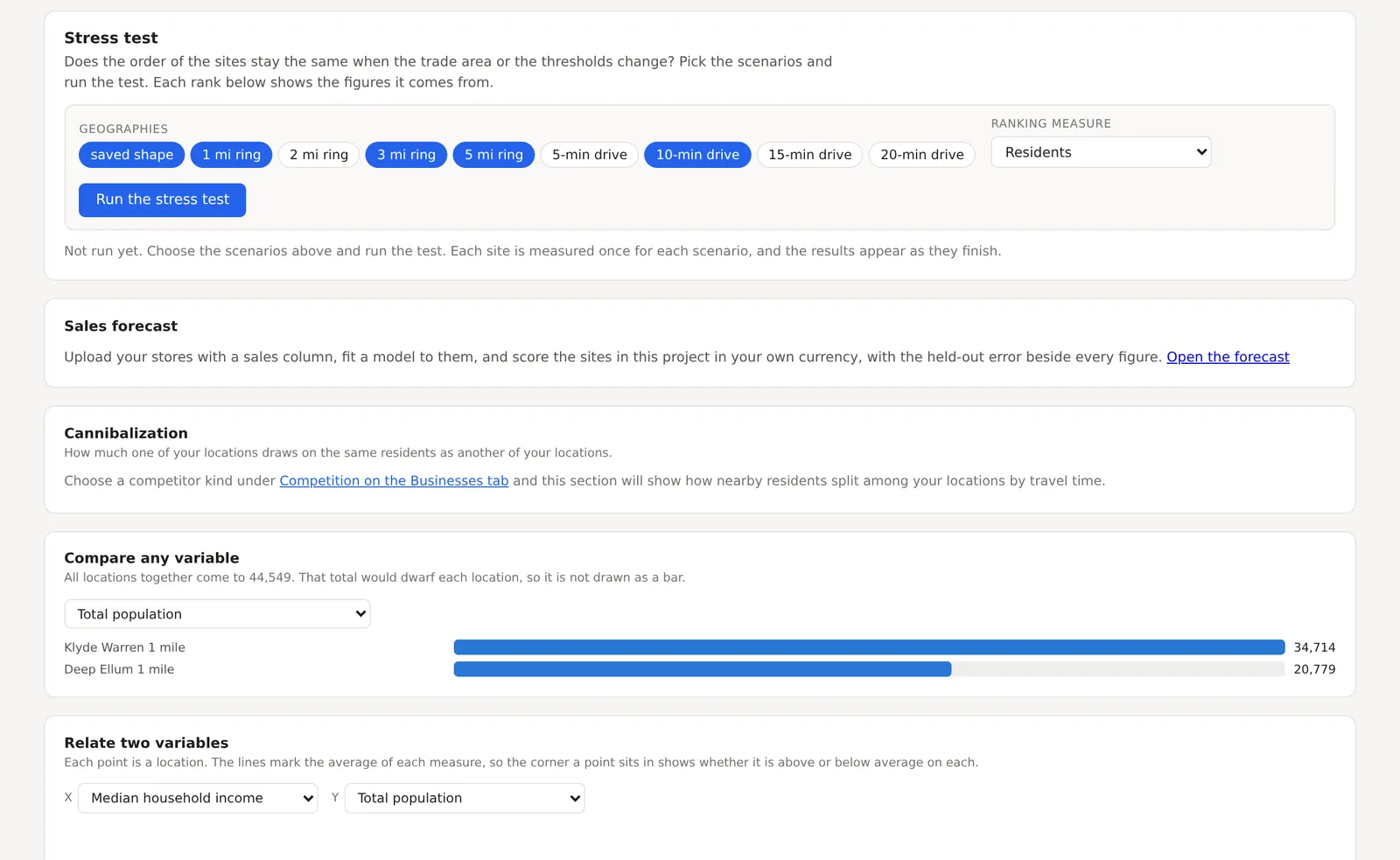
A card at the top with a row of geographies, the saved shape, rings of 1, 2, 3 and 5 miles, and drives of 5, 10, 15 and 20 minutes, a ranking measure, and Run the stress test. The test measures every site once for each chosen geography and says whether the order of the sites holds when the trade area changes, so that a choice that depends on having drawn a one mile circle is seen for what it is. It has a page of its own, The stress test.
Sales forecast
A short card pointing to the forecast, which is fitted to the stores you upload with a sales column and scores the sites in the project in your own currency. Open the forecast leads there. The sales forecast explains it.
Cannibalization
How much one of your locations draws on the same residents as another. It needs a competitor kind chosen under Competition on the Businesses tab, after which this section shows how the nearby residents split among your own locations by travel time, so that two of your stores drawing on the same people are seen before the second opens. Competition and market share explains the estimate it is built on.
Compare any variable
A menu of every variable on the analysis page, and a bar for each location on the one you choose, scaled so that the longest bar is the highest figure. A location with rings appears once for each ring. The combined footprint is not drawn as a bar, because its total would dwarf each location and flatten the comparison, and the card says what the total is instead.

Relate two variables
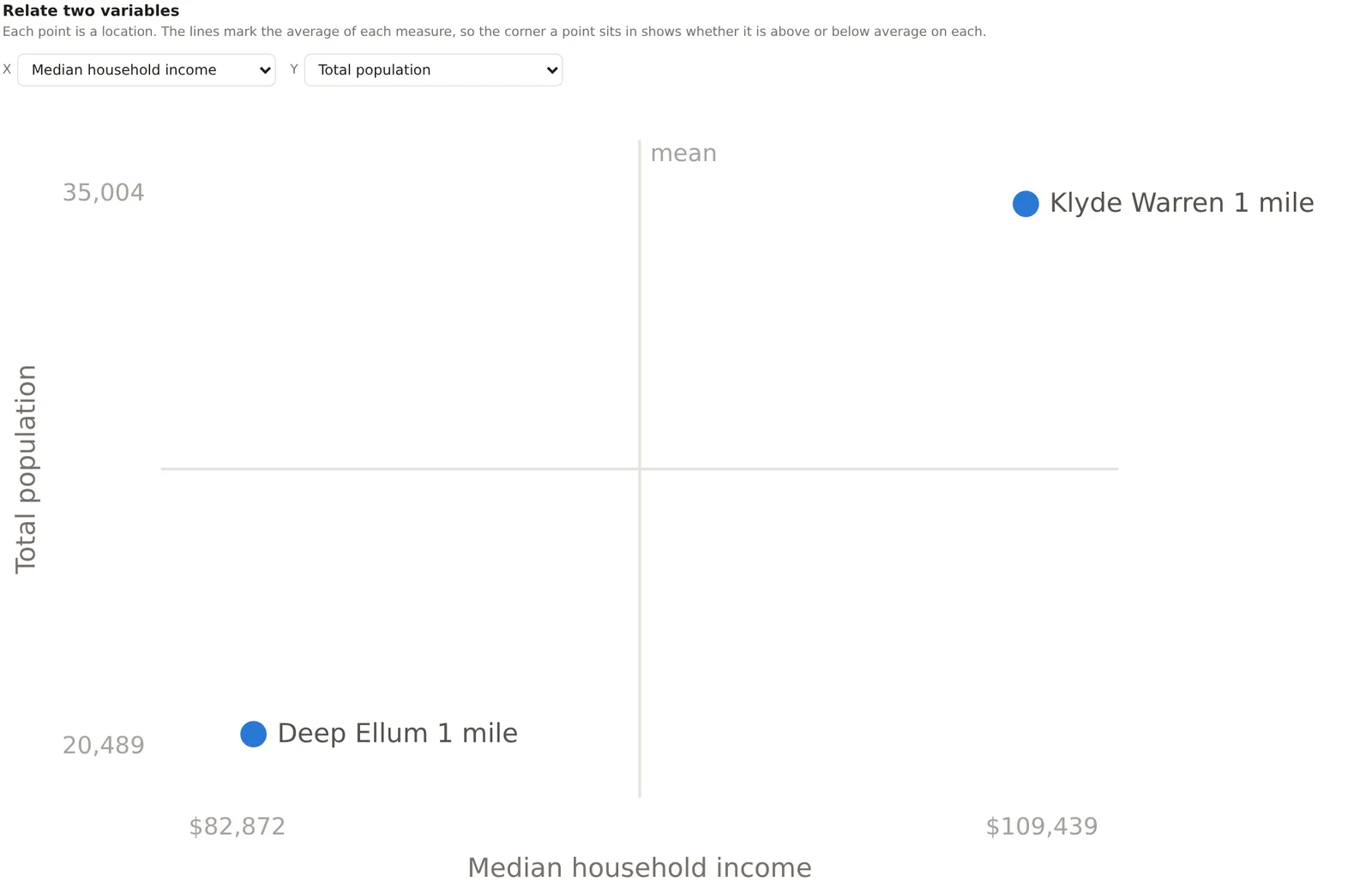
Two menus, X and Y, and a chart with one point per location. The lines through the chart mark the average of each measure across the locations, so the corner a point sits in says whether it is above or below average on each. A site in the upper right is above average on both. A site alone in a corner is the exception worth looking at. With two locations the chart is simple, and with twenty uploaded stores it is the fastest way to see which ones do not fit the pattern.
An example
For the Downtown Dallas project on 30 October 2026, comparing total population put the Klyde Warren circle at 34,714 and the Deep Ellum circle at 20,779, and relating median household income to total population put Klyde Warren in the upper right, above the average on both, and Deep Ellum in the lower left. With only two points that says what the Overview already said. With the twelve stores of an uploaded chain, the same chart puts the store whose sales do not match its demographics in a corner by itself, which is where a site visit should start.
Things to know
The variables are the combined footprint's variables, so a figure the plan withholds, such as an economy index on the free plan, is not offered in the menus.
Each point or bar is a location's own figure, not a share of the project, so a large area reads large.
The stress test, the forecast and the cannibalization estimate each take a moment to run and say so.
Related pages
The Businesses tab comes before this one and The All Data tab after. The site criteria screener, The stress test and Decision history are the tools for choosing between sites, and The sales forecast scores them in dollars.