The site criteria screener
A sheet of thresholds applied to every saved site in a project, with the starter templates, the six kinds of line, the geographies, the grid's four states, and how to read a screen without letting it decide.
What this is for
Most site decisions start from a list of thresholds. A franchisor publishes them, a client writes them, or an analyst keeps them in a spreadsheet. At least 10,000 residents within a ten minute drive, median household income above $50,000, a main road carrying 15,000 vehicles a day, no more than three competitors within a mile. The screener holds such a list as a criteria sheet, measures every saved site in a project against each line, and shows the result as a grid, with the measured figure beside every pass and fail, so that a reader sees not only which sites meet the criteria but where the others fall short and by how much.
A screen directs attention. It does not settle a decision, and the product says so on the tab, because a site one percent under a line is not a different site from one one percent over it.
Where to find it
Choose Criteria in the row of tabs on the analysis page. The screener is part of the Pro and Team plans. The sheet, the grid and the criteria themselves are printed in the PDF report, and the stress test on the Compare tab reads the attached sheet.
Step by step
- Open the Criteria tab for a project with saved sites. With no sheet attached it offers Choose a template and Start blank.
- Press Choose a template and pick one of the starter templates, or Start blank instead for an empty sheet. The template is copied into a sheet of your own, so editing it never changes the template, and the editor opens on it.
- Name the sheet, set its default geography, and add, change or remove lines. Press Save criteria.
- The sheet is attached to the project and the sites are measured. A status line says how many sites are still being measured, which takes longer for travel time geographies.
- Read the grid. Edit criteria reopens the editor, Download CSV saves the whole grid, Measure now asks for anything the sheet still lacks, and Detach removes the sheet from the project without deleting it.
Changing a threshold redraws the grid at once, because the measurements are kept and only the judgment changes. Only a new geography or a new kind of place to count asks for a measurement.
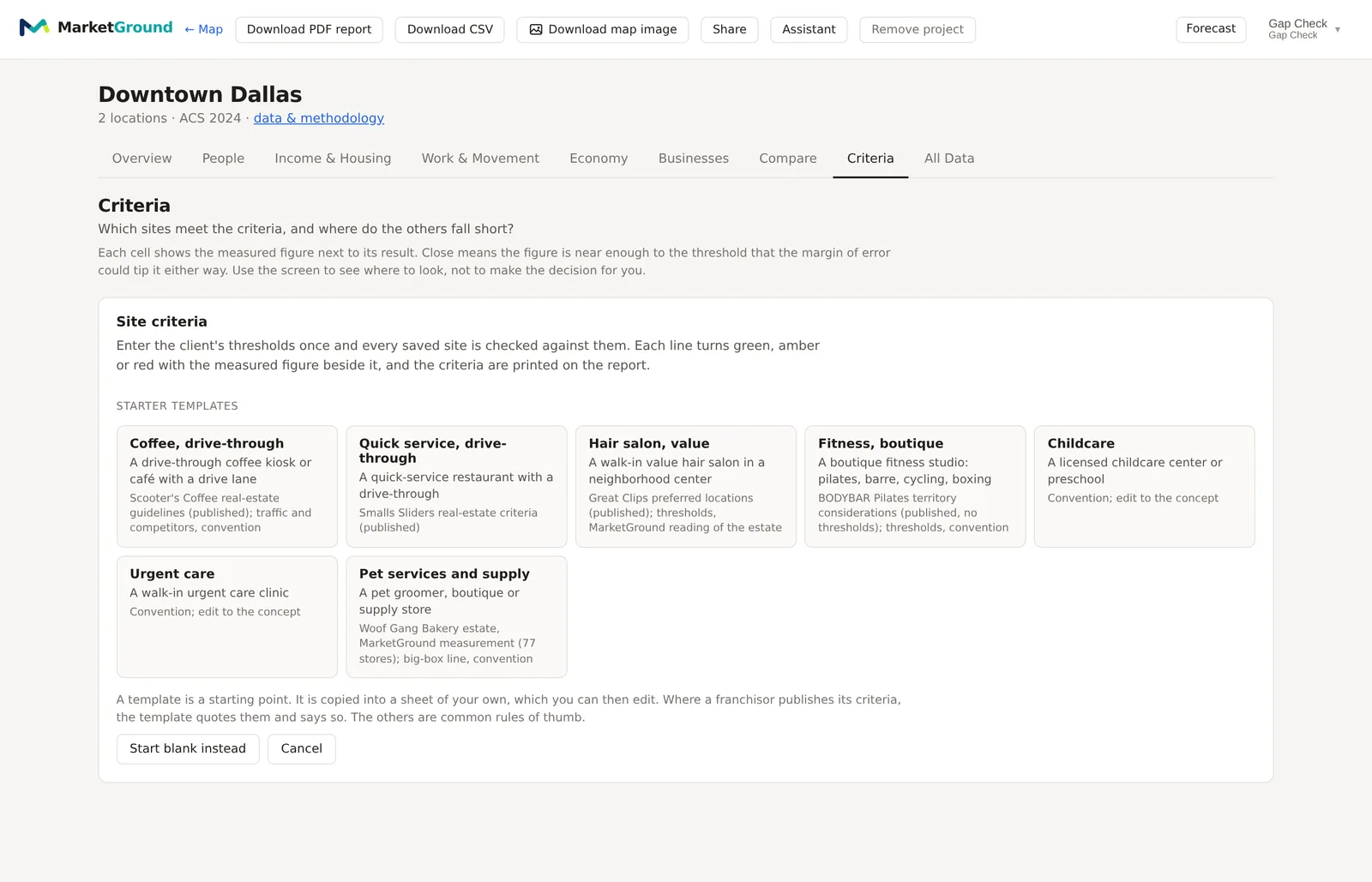
The starter templates
Seven templates cover common concepts, namely coffee with a drive-through, quick service with a drive-through, a value hair salon, a boutique fitness studio, childcare, urgent care, and pet services and supply. Each names its source. Where a franchisor publishes its site criteria, the template quotes them and says so. Where none is published, the thresholds are industry conventions and the template says that instead. They are starting points, not the product's own measurements, and the salon template carries the finding that makes the point, namely that on generous readings of one chain's four published criteria, 45 percent of its own 4,303 salons meet all four at once.
The editor, one part at a time
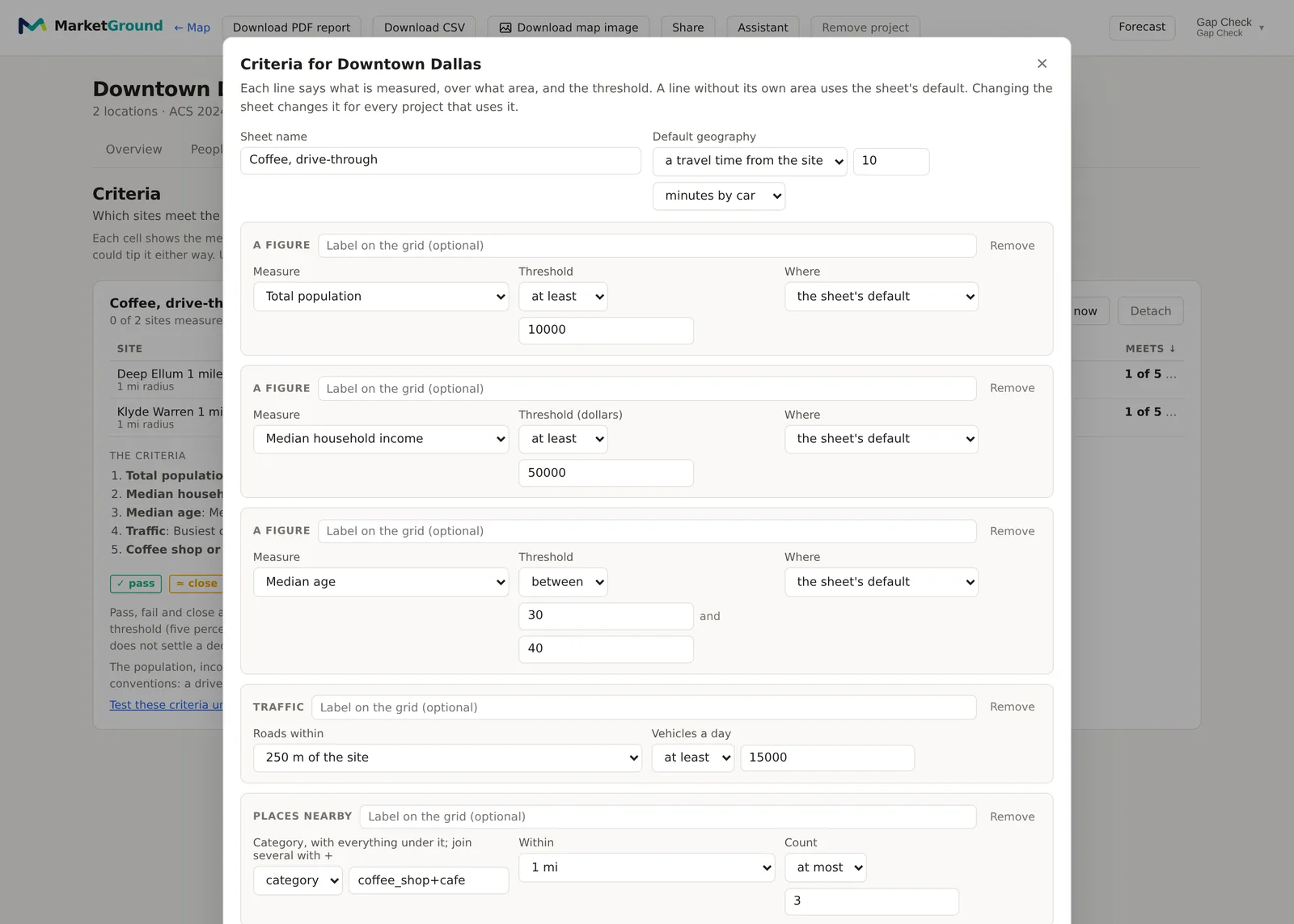
Sheet name is how the sheet appears in your list of sheets and on the report.
Default geography is the area each line is measured over unless the line names its own. The choices are the saved shape, a radius from the site with a distance, or a travel time from the site with minutes by car, on foot or by bike. Published sheets mix geographies, which is why every line can override it.
Lines. A sheet holds up to twenty lines, each of one of six kinds, added from the row of buttons at the foot of the editor.
- A figure measures any headline figure of the analysis, such as total population, median household income, median age, daytime population, jobs, people or households per square kilometer, households with children, children under 5, or residents in an age band, with a threshold of at least, at most or between two values, over the sheet's default geography or one named on the line.
- Index against the market compares a figure with the county, the metro or the nation as an index, so that a line can ask for income at least 110 percent of the metro's rather than a fixed dollar figure.
- Places nearby counts the places of a kind, a category with everything under it or a brand matched exactly, within a distance of the site, with a threshold of at most or at least. A competitor line is this kind.
- An anchor asks for at least one place of a kind within a distance, such as a grocery anchor within 400 meters.
- Growth asks for growth in residents since a base year over the line's geography.
- Traffic asks for a busiest counted road within a distance of the site carrying at least a number of vehicles a day.
Each line has an optional label for the grid's column heading, and a Remove button.
Reading the grid
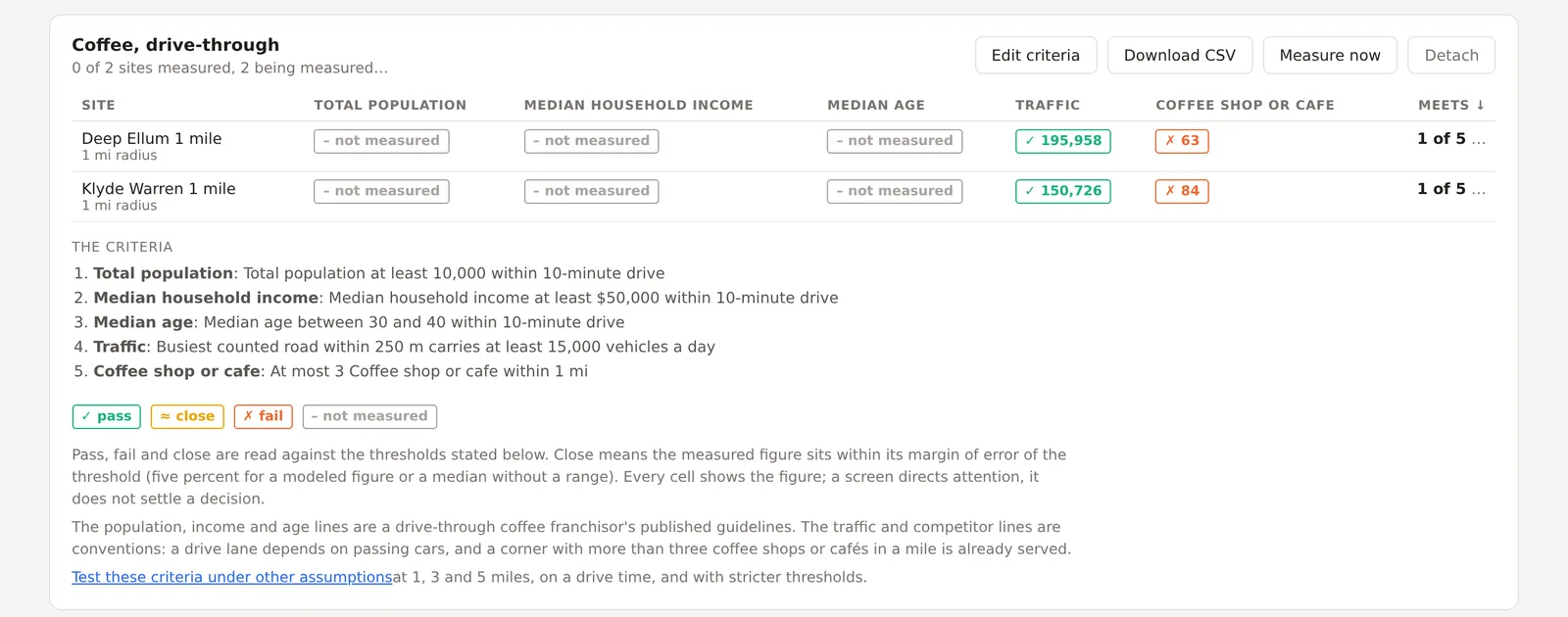
One row per site and one column per line, with the Meets column counting the lines passed. Each cell shows the measured figure beside its result, in one of four states.
Pass and fail are read against the threshold. Close means the measured figure sits within its margin of error of the threshold on either side, so that the survey's own uncertainty could tip it, and it is shown as such rather than as a confident pass or fail. The margin is the figure's own for a survey count, share or median, and five percent for a modeled figure or a median without a range, five index points for an index and one percentage point for growth. Not measured means an input is absent, such as no counted road within the distance asked, and is never a fail.
Beneath the grid, The criteria states every line in words, and the template's note says where its thresholds came from. A link beneath offers to test the criteria under other assumptions, which is the stress test.
An example
The Downtown Dallas project on 30 October 2026, screened on the coffee template, read for the Deep Ellum circle a pass on traffic, with the busiest counted road within 250 meters carrying 195,958 vehicles a day against the 15,000 asked, and a fail on competitors, with 63 coffee shops or cafes within a mile against the three allowed, for one of five lines met. The Klyde Warren circle read the same two results with 150,726 vehicles and 84 competitors. The three lines measured over a ten minute drive were not yet measured when the grid was read. The competitor line is the one that matters for a drive-through coffee concept in a downtown, and the grid says so in a figure, 63 against 3, rather than in a color alone.
Things to know
A sheet belongs to the organization, not the project, so one sheet can be attached to several projects and a change to it changes every project that uses it. The editor says so.
Measurements are kept per site and per geography, so adding a site measures only that site, and changing a threshold measures nothing.
A sheet can hold up to twenty lines, and a places line can name up to five kinds.
The grid describes saved sites. Draw and save a candidate to screen it.
Related pages
The stress test asks whether the screen's ranking holds when the assumptions change. Decision history records what was chosen against the sheet. The Businesses tab shows the places a competitor line counts, and the methodology page gives the close rule in full.