Plans, limits and usage
What the Free, Pro and Team plans include, how allowances are counted and shown on the Plan and usage card in settings, and the branding card for reports and map images.
What this is for
The product has three plans, and most of its features belong to the paid two. This page says what each plan includes, how the allowances that come with a plan are counted, and where to see what your organization has used, so that a line in the product saying a feature is part of the Pro and Team plans has a page behind it.
Where to find it
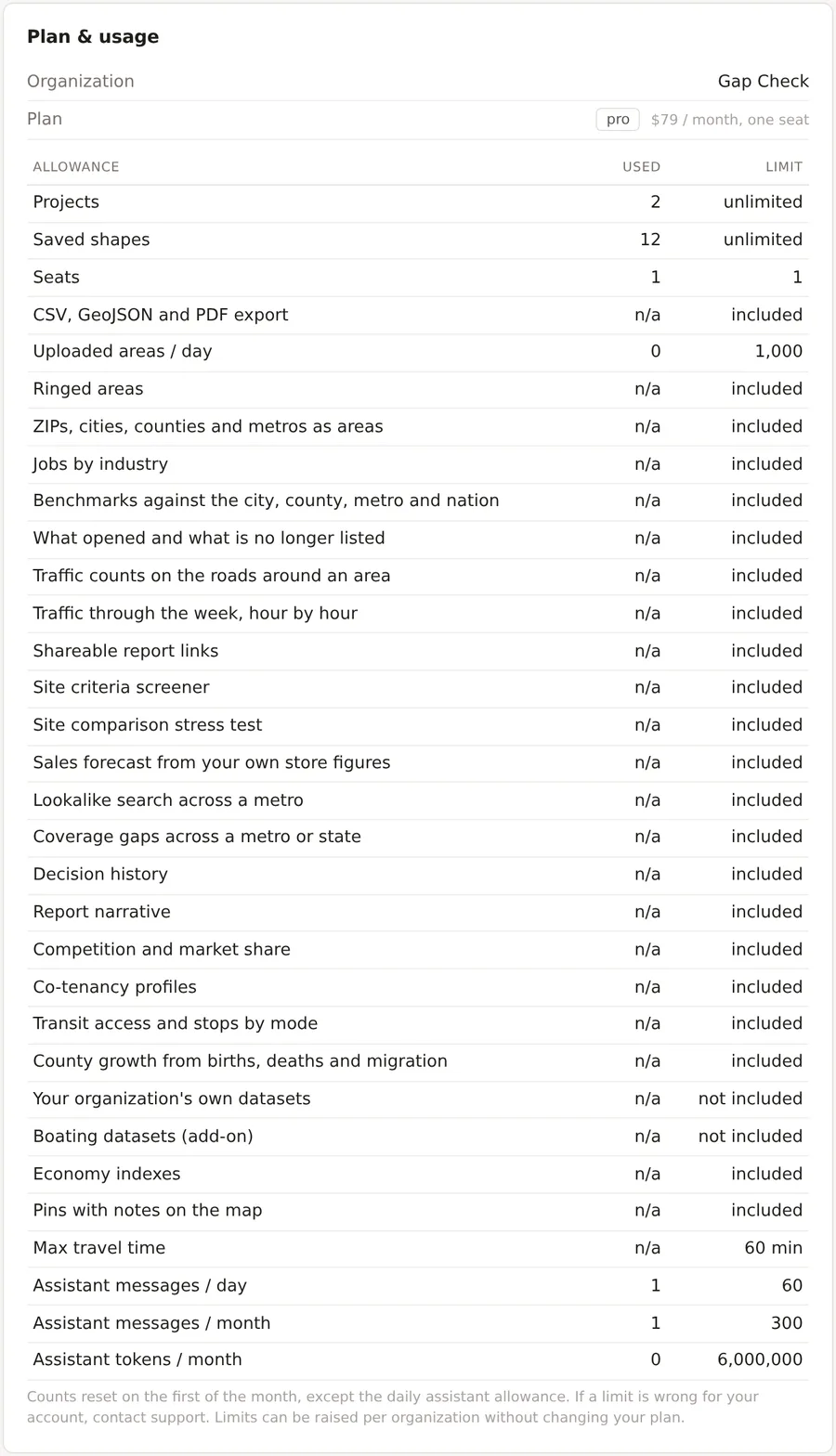
Settings has three tabs, Account, Organization and Plan & billing. The Plan & usage card on the Plan & billing tab shows the plan and every allowance with what has been used. The Branding for reports and map images card is on the Organization tab. The pricing page on the public site lists the plans side by side.
The three plans
Free is for one person. It includes one project with up to four saved areas, radius and polygon areas, the day and night population, population history to 2016, the businesses and places counts, the core set of 33 demographic variables, and the map image with the product's mark.
Pro is for one person who works at this for a living. It has no limit on projects or saved areas and adds every other feature, namely travel time areas up to 60 minutes, rings, named boundaries, uploads of up to 1,000 sites a day, jobs by industry, benchmarks and index chips, the combined tables, all 134 demographic variables, traffic counts and the week, transit access, county momentum, the Economy indexes, business change, pins, the criteria screener, the stress test, decision history, competition, co-tenancy, places like this, coverage gaps, the sales forecast, the report narrative, the PDF report and share links with your own branding, and the CSV and GeoJSON exports. Drive times with typical traffic are 300 a month.
Team is Pro for five or more seats, with every member of the organization sharing its projects, and 1,500 traffic drive times a month.
How allowances are counted
Most features are either included in a plan or not. A few are allowances with a count, namely uploaded areas a day, traffic drive times a month, coverage gap searches a month, and the assistant's messages a day and a month and its tokens a month. Counts reset on the first of the month, except the daily allowances, which reset each day. When an allowance is used up the feature says so and offers the plans, and nothing is lost.
A limit can be raised for one organization without changing its plan, and the card says to contact support if a limit is wrong for your account.
The Plan and usage card
The card lists the organization, its plan and price, and a table of every allowance with Used and Limit columns. A feature that is included shows included, one that is not shows not included, an unlimited allowance shows unlimited, and a counted one shows the count against its limit. The table is the single place to see what the plan allows, and a feature's own page names the plan it belongs to.
Branding
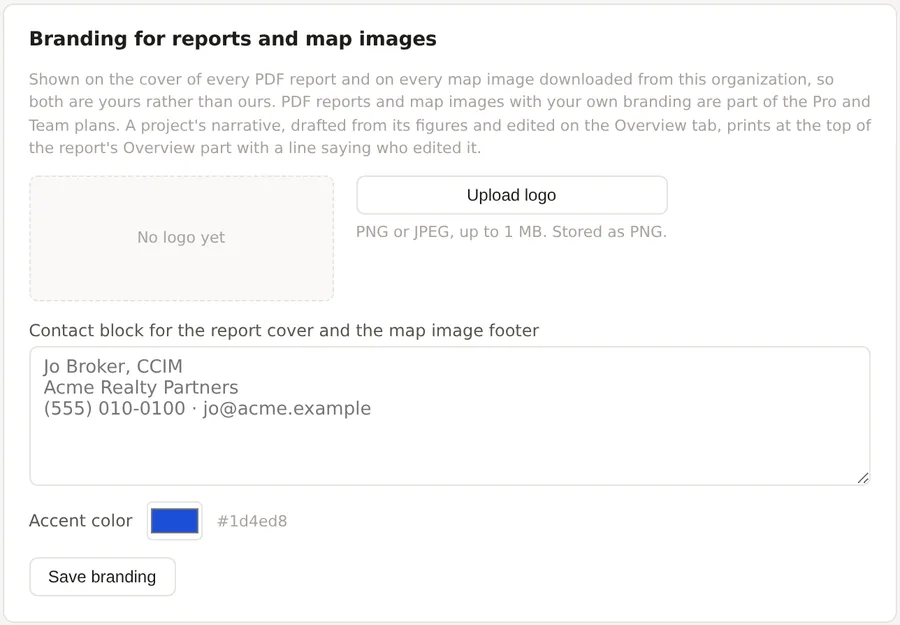
The Branding for reports and map images card on the Organization tab holds the logo, the contact block and the accent color that dress the cover of every PDF report and every map image on the Pro and Team plans. Upload a logo as a PNG or JPEG of up to 1 MB, write the contact block that goes on the report cover and the map image footer, choose the accent color, and press Save branding. An owner or admin can change these, and everyone else sees them. The organization's name is never drawn on an image, since a personal account's name reads as someone's workspace.
Things to know
The free plan's four saved areas are counted across its one project. Editing a saved area does not use one, and saving an edited shape as a new area does.
The assistant's allowances are by message and by token, and the daily message allowance is the one most often met.
A courtesy plan, given by the product without a subscription, shows on the Billing card as such, and subscribing would replace it with a paid plan.
Related pages
Billing covers subscribing, changing plan and the card on file. Team members and invitations covers seats. Uploading your sites and Coverage gaps are the features with counted allowances most often met.