Help › Competition and finding new sites
Places like this
Finding the neighborhoods in a metro that most resemble a site that works, on eighteen measures of who lives there, who is there by day and what is there, with the weights you set and every result explained measure by measure.
What this is for
A store that works is the best description of the next one. Places like this takes a site, a saved area or the shape you have drawn, builds its profile on eighteen measures, and finds the neighborhoods in a metro whose profiles are closest, so that a chain with one good store in Dallas can see the twenty corners of Dallas-Fort Worth that read most like it, each with every measure beside the reference's and the gaps named in words.
A result is a starting point for an analysis, not a score. Each one can be analyzed as an ordinary area with one press.
Where to find it
In the side panel's Find row, Places like this opens the search in place of the project view. It is greyed until an area is selected or a shape is drawn, because it needs something to resemble, and the wave button beside each saved area opens it for that area directly. Part of the Pro and Team plans.
The eighteen measures
The profile has three groups. Who lives there is residents per square kilometer, median age, the share aged 25 to 44, people per household, median household income, the shares of households above $100,000 and below $35,000, bachelor's degree or higher, renters, median home value and work from home. Who is there by day is the daytime to night-time ratio, jobs per square kilometer, the office share of jobs and the retail and food share of jobs. What is there is businesses per thousand residents, shops and restaurants per square kilometer, and openings and closures per hundred businesses over twelve months.
Every small hexagon of the country, about three quarters of a square kilometer, carries these eighteen values, computed the way an analysis of a drawn shape is. Race, ethnicity and household composition are not measures and cannot be added, because a tool that ranks neighborhoods on them is a liability for the people who use it whatever the intent.
Step by step
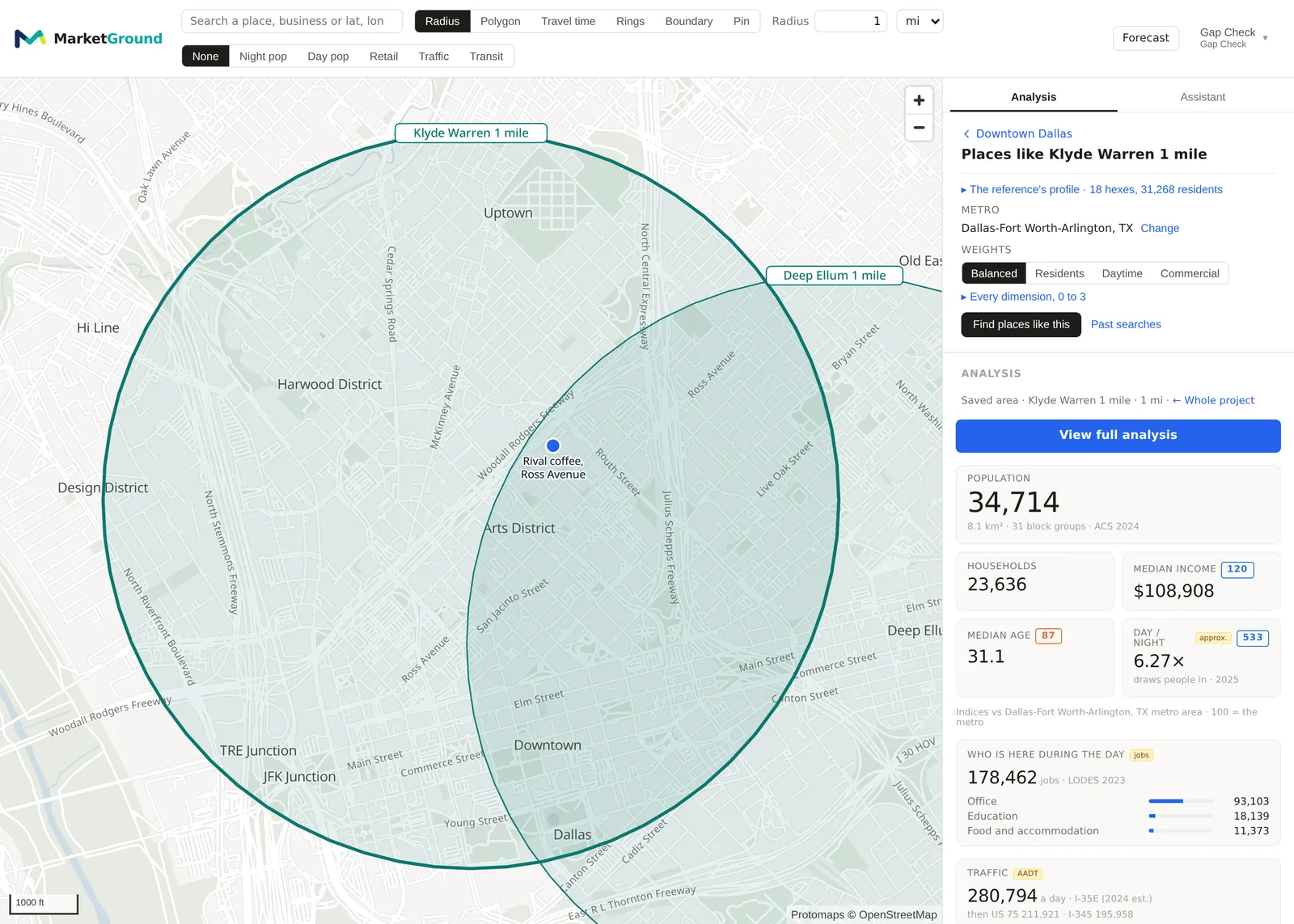
- Select the area to start from, in the Areas section or by drawing a shape, and press Places like this. The panel shows the reference's profile, with how many hexagons and residents it covers.
- Under Metro, search for and choose the metro to search in.
- Under Weights, choose Balanced, Residents, Daytime or Commercial, which weight the three groups differently, or open Every dimension, 0 to 3 to set each of the eighteen yourself. A weight of zero leaves a measure out, and three counts it three times.
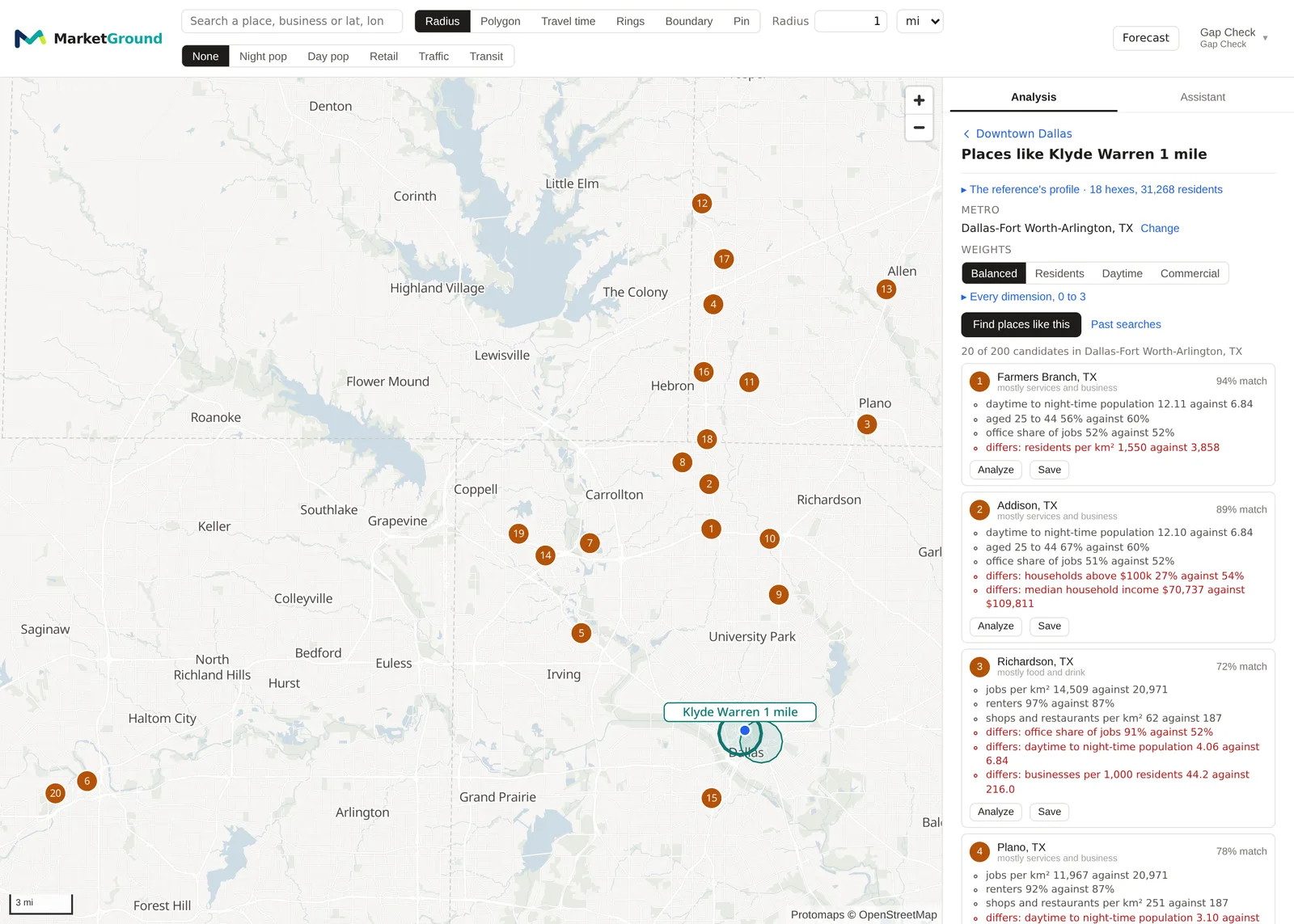
- Press Find places like this. Twenty results appear as numbered pins on the map and as a list in the panel.
- For each result, Analyze puts the pin there and runs the ordinary analysis, and Save keeps it as an area in the project. Past searches lists earlier runs.
How a match is scored
Each measure is centered on its national median and divided by its interquartile range, after a logarithm for the skewed densities and dollar figures, so that a reference profiled in one metro means the same thing in another. The distance between two profiles is the root of the weighted mean squared difference over the measures both have, with your weights, and the match is the share of that weight within half an interquartile range of the reference. Hexagons with fewer than two hundred residents and fewer than a hundred jobs are never candidates, the reference and the two rings of hexagons around it are excluded, and no result is chosen within two rings of another, so twenty results are twenty neighborhoods.
A reference above fifty square kilometers averages to nowhere, and the panel replaces it with a one mile ring around its center and says so.
Reading the results
Each result is named by its city and its leading kind of business, with its match. Beneath it, the measures closest to the reference are listed with both values, and differs names the widest gaps, so that a 94 percent match that differs on residents per square kilometer is understood as a place like the reference in every way but density. Opening a result shows all eighteen values beside the reference's.
An example
A search on 30 October 2026 for places like the Klyde Warren circle, a reference of 18 hexagons and 31,268 residents, across Dallas-Fort Worth-Arlington with balanced weights returned 20 of 200 candidates. The first, in Farmers Branch, matched 94 percent, close on the daytime to night-time ratio at 12.11 against 6.84, the share aged 25 to 44 at 56 against 60 percent and the office share of jobs at 52 against 52, and differing on residents per square kilometer at 1,550 against 3,858. The second, in Addison, matched 89 percent and differed on households above $100,000 at 27 against 54 percent and median household income at $70,737 against $109,811. The list reads as the metro's other office districts, which is what a downtown reference should find, and the differences say which of them have the residents to go with the offices.
Things to know
The search covers one metro at a time, and a reference in one metro can be searched in another.
The business measures cover the listed businesses alone, and the daytime ratio carries the same calibration the analysis page shows.
A result marks where a profile fits, not a property that is available, which is why the pin opens the ordinary analysis.
Related pages
Coverage gaps finds where demand is unreached rather than where a profile fits. The side panel describes the Find row. Trend and history and The Work & Movement tab explain the measures, and the methodology page gives the scoring.